
I am text block. Click edit button to change this text. Lorem ipsum dolor sit amet, consectetur adipiscing elit. Ut elit tellus, luctus nec ullamcorper mattis, pulvinar dapibus leo.
-20%
Serial RS-232 9 Pin Cable Male to Male
Original price was: ₹200.00.₹100.00Current price is: ₹100.00. inc. GST
A-Male to A-Female USB 2.0 Extension Cable (150cm)
Original price was: ₹125.00.₹100.00Current price is: ₹100.00. inc. GST
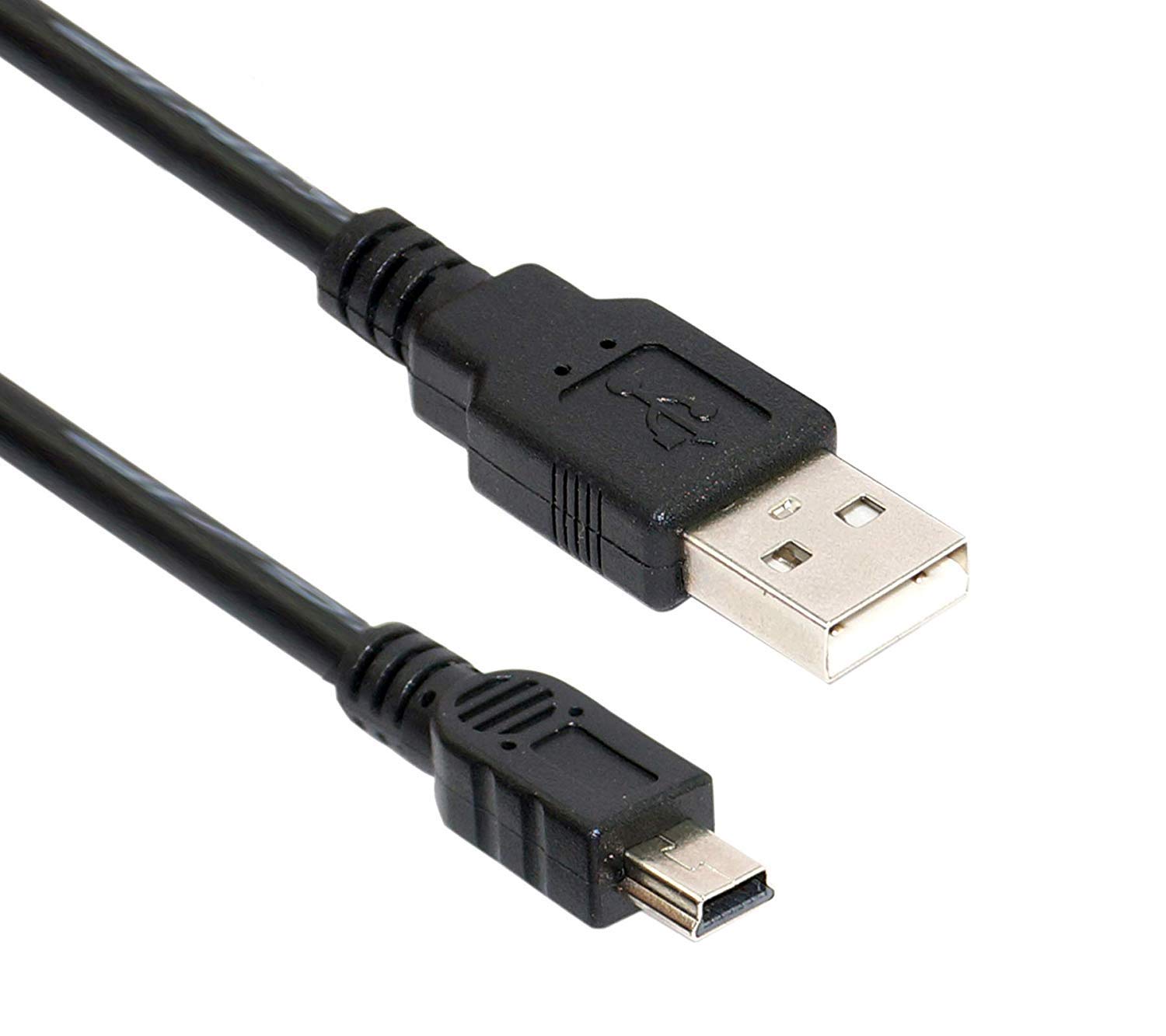
A-to-Mini B USB-2.0 Cable for Arduino Nano
Original price was: ₹100.00.₹80.00Current price is: ₹80.00. inc. GST
- USB Type: Type-A to Mini-B
- Weight: 100 gm.
- Length: 1.35 m.
- Nickel-Plated Connector
- Exclusively designed for Arduino boards.
- Exclusively designed for Arduino boards.
- Mini-USB cables are designed to connect from the USB port on a hub, PC or Mac to a USB device, including digital cameras, mobile phones, and PDAs.
Description
This is USB 2.0 A to USB 2.0MINI B Cable For Arduino Nano (USB A to Mini B) used speed-critical devices, such as external hard drives and smartphones, and peripherals that require a Mini-B connection to your computer. It allows you to connect your Arduino Board which features a Mini-B USB port to the Laptop/PC. It transfers data at a rate up to 480 Mbps. Connect a peripheral with a 5-Pin Mini-USB port to a USB Hub or USB port on PC/Mac. Compatible with USB 1.0, 1.1 and 2.0. PC and Mac compatible. This cable with Nickel Plated Connector is the plug-and-play connection cable with MP3 players, digital cameras and PDAs, External Hard Drives.
Using cheap USB cables or faulty USB cables may harm external devices and cause errors continuously. For the error-free and long life of devices, highly recommended to use high-quality USB2.0 A to USB2.0Mini B cables. These cables are convenient to use at an affordable price. Moreover, these high-quality USB cables used to transmits data at high speeds up to 480Mbps with the error-free, high-performance transmission. This Arduino cable comes with molded strain relief and PVC over-molding to ensure a lifetime of error-free data transmissions. An Aluminum covering under the mold shield helps meet FCC requirements on KMI/RFI interference. Moreover, Foil and braid shield comply with fully rated cable specifications reducing EMI/FRI interference.
Reviews (0)
Shipping & Delivery

Related products
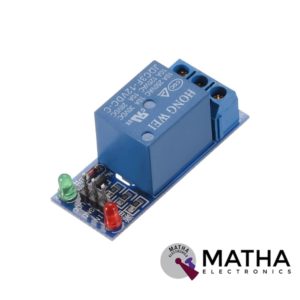
1 CHANNEL 12V RELAY
- 1-Channel relay interface board
- Operating voltage: 12V DC
- Provide high current relay of 15A
- For quick and easy connection high-quality screw terminals provided
- Can control both AC & DC appliances
- LED status indicates relay ON/OFF state.
- High current relay of 10A @250 V AC/10A@ 30V DC
- Standard interface that can be controlled by a microcontroller (Arduino, 8051, PIC, AVR, DSP, ARM)
- For easy accessibility input signal pin connected to burg sticks
- Dimension: 43*17*17mm
- Weight: 150gm

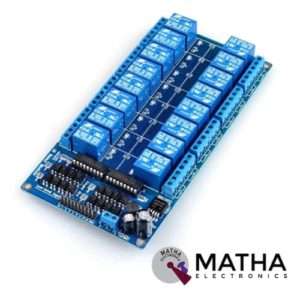
16 CHANNEL 12V RELAY
- 16 channel 12V relay board
- Operating voltage: 12V
- Supply current: 0.2 A
- Relay contact current capacity of 10A @250 V AC/10A@ 30V AC
- Optocoupler protection
- LED status indicates relay ON/OFF state.
- The 10-16 road can be any full-on/off or any road
- Common terminal(com) in each rely is user friendly and can be accessed by different signal
- Normally closed or normally open with each port
- Strong anti-jamming ability and stable performance
- The on-board power supply module doesn’t need any external power
- Dimension: 180*90*20mm
- Weight: 100gm
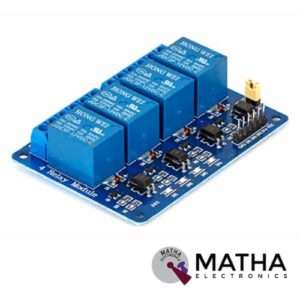

4 CHANNEL 12V RELAY
- 4-Channel relay interface board
- Relay input voltage: 12V DC
- Relay output: 5A/250V AC
- Signal input:5V DC from the microcontroller
- High current relay of 10A @250 V AC/10A@ 30V DC
- For quick and easy connection high-quality screw terminals provided
- Can control both AC & DC appliances such as DC motors, solenoid valves, lamps, etc.
- LED status indicates relay ON/OFF state.
- Power battery terminal for relay output and aux power connection
- Standard interface that can be controlled by a microcontroller (Arduino, 8051, PIC, AVR, DSP, ARM)
- Relay can directly control all equipment’s and loads
- For easy accessibility input signal pin connected to burg sticks
- Dimension: 165*65*1mm
- Weight: 7gm


4*3 MATRIX KEYPAD
- Operating voltage: 12V DC
- The maximum voltage across each button: 24v
- The maximum current across each button: 3mA
- Ultra-thin design
- Adhesive backing provides easy integration
- Easy communication with any microcontroller
- Flexible
- Only 7 microcontroller pins required to access 12 keys
- High price-performance ratio
- Allows microcontroller to scan 8 output pins to check which 16 button
- Long life
- Maximum operating temperature: 0 degrees to 50 degrees Celsius
- Dimension: 70*77*1mm
- Weight: 7.5gm
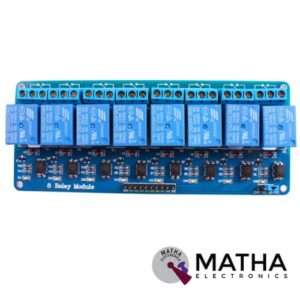
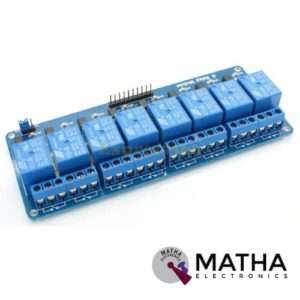
8 CHANNEL 5V RELAY
- Relay operating voltage: 5V
- 8 channel
- High impedance controller pin
- One normally closed contact and one normally opened
- Useful for appliances control
- Power supply indicator and control indicator lamp
- Pull-down circuit to avoid malfunction
- Can control both DC and AC to 220v AC load
- Works with both 3.3 V and 5 V logic with the less current drive
- 3 terminals per SPDT relay
- Standard interface can be directly controlled by a microcontroller like Arduino, 8051, AVR, PIC, DSP, ARM, MSP430, TTL logic
- Dimension: 7*6.4*1 inch
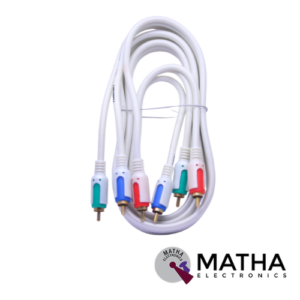


MDL_2 Obd2 Elm327 16 Pin Male to Female Extension Diagnostic Extender Cable
- OBDII 16 Pin Extension Cable Adapter Male to Female.
- Suitable for 16 Pin Advanced Bluetooth OBD-II Car Diagnostic Auto Interface Scanner.
- Can save the wear and tear on your scan tool's OBD connector.
- Multiple cables can be daisy-chained together to achieve longer lengths.
- Compatible diagnostic tools with a 16 pin socket
- Flexibility and durability.
- Length: 5 Meter
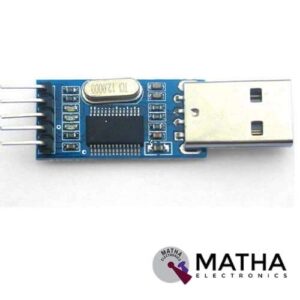
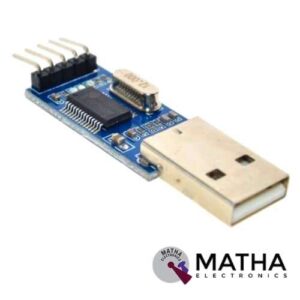
PL2303 USB TO TTL CONVERTER
- USB specification 2.0 compliant with full-speed 12Mbps.
- Operation Level-Digital 5V
- Power Supply-External 5V
- Standard USB type A male and TTL 6pin connector.
- 6 pins for 3.3V, RST, TXD, RXD, GND & 5V.
- All handshaking and modem interface signals.
- Baud rates: 300 bps to 1.5 Mbps.
- Byte receives buffer; 640 bytes transmit buffer.
- Hardware or X-On/X-Off handshaking supported.
- Event character support Line break transmission.
- USB suspend states supported via SUSPEND pins.
- Supports Windows 98SE, 2000, XP, Vista, Window7, Mac OS 9, Mac OS X & Linux 2.40.
- Simple serial communication.
- Router or ADSL firmware upgrade.
- Easy to use, RX to the MCU's TX; TX to the MCU's RX. and then connected to the GND. Without having to use the MAX232 conversion.
Reviews
There are no reviews yet.