
I am text block. Click edit button to change this text. Lorem ipsum dolor sit amet, consectetur adipiscing elit. Ut elit tellus, luctus nec ullamcorper mattis, pulvinar dapibus leo.
-11%

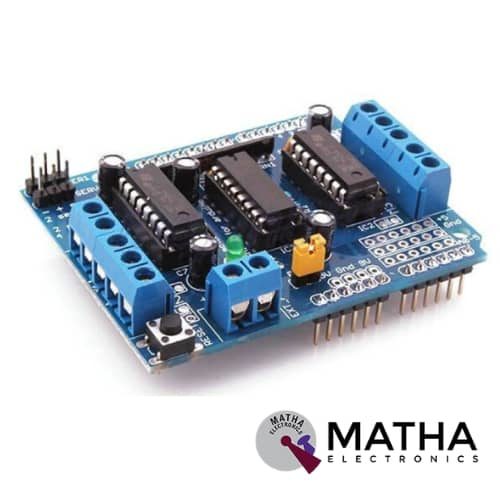
L293D Motor Driver Shield
Original price was: ₹350.00.₹225.00Current price is: ₹225.00. inc. GST
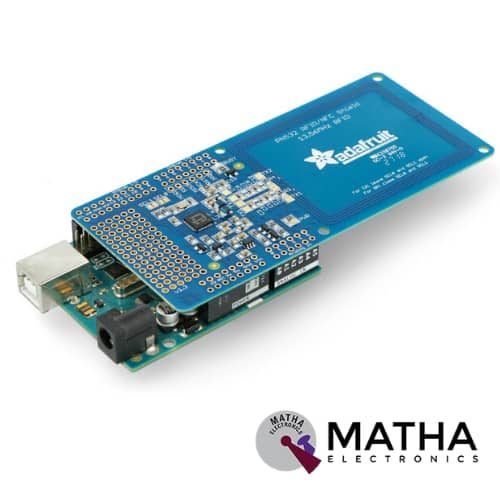
PN532 NFC/RFID Controller Shield for Arduino
₹1,500.00 inc. GST
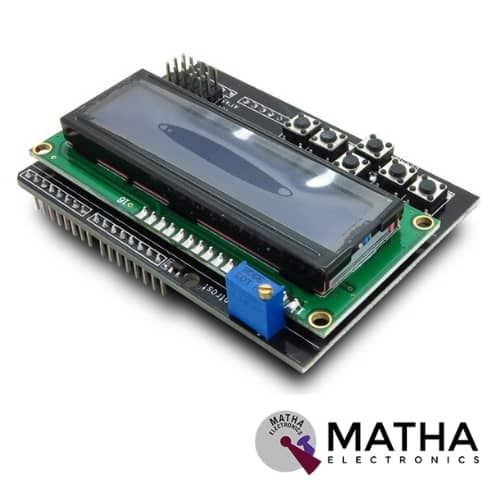
16×2 (1602) LCD Keypad Shield
Original price was: ₹450.00.₹400.00Current price is: ₹400.00. inc. GST
- Operating Voltage:5V
- 5 Push buttons.
- RST button to reset Arduino program.
- Integrate a potentiometer for adjusting the backlight.
- Expanded available I/O pins.
- Blue light with white characters.
- Uses 4 Bit Arduino LCD Library
- Screen contrast adjustment
- Arduino Reset button
- The keypad consists of 6 keys select, up, right, down, left and reset.
- To save the digital IO pins, the keypad interface only uses one ADC channel.
- The key value is read out through a 5 stage voltage divider.
Description
Displaying information is one of the crucial steps in electronic projects. So using LCDs has always been one of the most popular ways to display information. This 1602 LCD Keypad shield is a very popular display specifically for Arduino. 16*2 LCD module consists of 16 columns and 2 rows, so it has 32 (16*2) characters in total. Each character has 40pixels (5*8) and thus for 32 characters there are 1280 pixels (32*40). An interface IC HD447480 is attached to the backside of the LCD module to determine the position of the pixel. This IC gets commands and data from the microcontroller and processes it, thus displaying it on the screen. The onboard potentiometer is used for screen contrast adjustment.
This 2×16 LCD Keypad shield comes with 6 momentary push buttons for menu navigation. In which 5 are connected with A0 analogue input through a resistor to give different voltage for each button and saving on input/output pins. Hence also known as Navigation sheild. Pins 4, 5, 6, 7, 8, 9, and 10 are used to interface with the LCD. The onboard LED indicates power-on status. This LCD shield is suitable for Arduino UNO, MEGA, Leonardo, and other microcontrollers. And is fully compatible with the Arduino 4-bit “LiquidCrystal” library.
Moreover, in this shield, all 4 keys are connected to the analogue pin 0 to save on digital pins. So an ADC used to read them. When a key is pressed, it returns a value to the A0 pin according to the internal resistive splitting circuit, which identifies the type of the key. It is quite simple to work with these LCD s and they have full compatibility with all microcontrollers and processor boards.
Reviews (0)
Shipping & Delivery

Related products

1.8″ TFT DISPLAY FOR ARDUINO
- Display Size: 1.8″
- Driver IC: ST7735
- Input Voltage (V): 3.3 to 5
- Pixel Resolution: 128 x 160
- Interface Type: SPI
- 18-bit (262,144) colour
- 4 or 5 wire SPI digital interface
- Built-in microSD slot – uses 2 more digital lines5V compatible!
- Use with 3.3V or 5V logic
- On-board 3.3V @ 150mA LDO regulator
- 2 white LED backlight, a transistor connected so you can PWM dim the backlight
- 1×10 header for easy breadboarding
- 4 x 0.9″/2mm mounting holes in corners
- Overall dimensions: 34 x 56 x 6.5mm
- Current draw is based on LED backlight usage: with full backlight draw is ~50mA
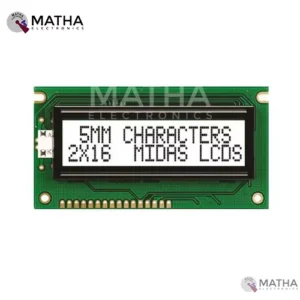
16*2 WHITE (LCD DISPLAY MODULE)
- Input voltage: 4.7V TO 5.3V
- Operating voltage: 5V
- View angle: 6 o clock
- Current supply:1.1
- Maximum supply current:2.5
- 1/16 duty cycle
- Input leakage current:1micro ampere
- Chip on board IC
- Rise time:200 to 250ms
- Fall time: 300 to 350ms
- Controller: SPLC780D
- Each character build by 5*8 pixels
- Consist of 2 rows with each row has 16 characters
- Works on both 8 bit and 4 bit
- Operating temperature:0 degree to 50 degree Celsius
- Storage temperature: -10 degrees to 50 degree Celsius
- Low Current consumption
- Alphanumeric display
- Dimension: 69.5*14.5mm
- Compact size and lightweight
- Easy to interface
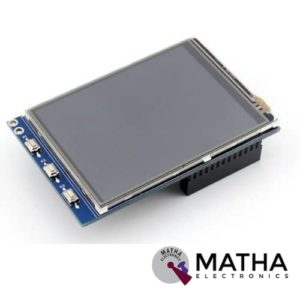

3.2 Inch Touch Screen
- Version: V4.0
- Resistive touch.
- Dimension: 3.2 inch.
- Operating Voltage: DC 5V.
- Driver: XPT2046.
- Resolution: 240 x 320.
- Compatible with any version of the raspberry pie
- Drivers provided (works with your own Raspbian/Ubuntu/Kali)
- Supports FBCP software driver as well, allows to config software resolution and set up dual-display
- Comes with three buttons for easy application
- Play videos (supports multi formats, MP4, and so on)
- Take photos by touching
- Support software keyboard (system interaction without keyboard/mouse)
- The Raspbian system, have the following features:1. Take pictures (17 kinds of camera mode) 2. Support soft keyboard (from the mouse and keyboard can control the system) 3. Surfing the Internet
- Dimension: 10 x 8 x 4 cm
- Weight: 150 Grams

37 IN 1 Sensor Kit For Arduino
- For beginners who are interested in Arduino
- A complete set of Arduino’s most common and useful electronic components
- Infrared sensor receiving module
- Laser sensor module
- Temperature and humidity sensor module
- Infrared sensor module
- 5v relay module
- Obstacle avoidance sensor module. For beginners who are interested in Arduino
- A complete set of Arduino’s most common and useful electronic components
- Packaging Type: Box
- Material: Circuit board
- Dimensions: 98 x 0.59 x 0.24 inch
- Weight: 428 g


5” TFT for Raspberry PI
- Display Size: 5″
- Resolution: 800 x 480 pixel
- Supply Voltage: 5V @1A
- Touch: 4-wire resistive touch
- LCD DRIVER IC: ILI9486L
- Refresh rate:60HZ
- Good touch response
- Large viewing angle
- Fast response time
- Support backlight control for low power consumption
- Compatible with Raspberry Pi 3, Pi2, Model B/B+
- Not only for Raspberry Pi
- Not only for mini-PCs, it can also work as a computer monitor
- The monitor can work with standard HDMI devices (adjust output resolution to 800*480),
- Touch function is only available for Raspbian and Ubuntu systems.
- Touch panel function not supported---Retropie, Windows 10
- LCD Size:11mm*77.93mm
- Weight:175g
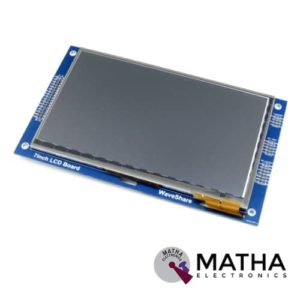
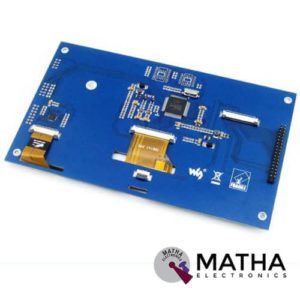
7” Touch Screen
- 800×480 high resolution.
- Viewable screen size: 155mm x 86mm
- 10 finger capacitive touch
- Supports Raspberry Pi, and the driver is provided (works with custom Raspbian directly).
- Supports BB Black, comes with related images like Angstrom.
- Supports Banana Pi / Banana Pro, which comes with related images like Ubuntu, Raspbian.
- Connects to the Raspberry Pi board using a ribbon cable connected to the DSI port.
- The Adapter board is used to power the display and convert the parallel signals from the display to the serial (DSI) port on the Raspberry Pi.
- Require the latest version of Raspbian OS to operate correctly
- Not only for mini-PCs, but it can also work as a computer monitor just like any other general HDMI screen (touch function is unavailable in this case).
- HDMI interface for displaying, USB interface for touch control.
- Back light control to lower power consumption.
- Screen Dimensions: 194mm x 110mm x 20mm

PR34 2004 LCD Display Smart Controller W or Adapter for RAMPS1.4 Reprap 3D Printer
- RAMPS 1.4 2004 LCD Display intelligent controller.
- LED background light control circuit, a small function of the intelligent controller,
- With pin short time to decide on all LED turn or steering 30 seconds
- You can turn on the light time to do the long or short form of the adjustment TRIMM R4100K from 10 seconds to 2 minutes.
- Plug and play on the RAMPS, but need to modify the firmware to support.
- The product comes encoder parameter adjustment can be achieved, and the file selection print.
- With an SD card base on the back, put slicing file into the SD card and select the file on the LCD, then can be printing.
Reviews
There are no reviews yet.